Writing
Teaching
## We'll get started at 5 past! --- # Week03 ### COMP6443 --- ## Challenges * The first weeks challenges were due! * If you want extra hints I can give them now for those challenges ;) * From next week (week 4), the challenges are more difficult! So if you are confused still about how this whole process works... ASK ME. -- ## What's coming up? * weeks 4/5: server-side injection * SQLi, SSI, XXE, SSRF, SSTI, file uploads * weeks 7/8: client-side injection * XSS, JSONP, Clickjacking, CSRF -- ## Due dates * Topic02 challenges: THIS SUNDAY 11:59pm * Midterm: Week05 Monday * Report: Week05 Sunday 11:59pm --- ## Reports Does anyone NOT have a group? --- ## Lecture content What happened in the lecture - pls help me <3 -- ## We are going to go over * Basic Identity Stuff (SSO, FID, OAuth, SAML) * Hashing vs Encryption * PASSWORDS * Secrets * HSTS * Content Security Policy (Kinda Extended Content) --- ## Has anyone ever signed into a website without typing their password into the website? ### If so: How? -- ### Confusing Identity Stuff that no-one understands * SSO -> I get to sign-in to everything with google! * Federated ID -> I get to sign-in to every google product with the same account! * OAuth -> I get to give companies permission to access my data! * SAML -> I get to give companies permission to access my data and authorise me too! -- All of these have very confusing flow diagrams... but try to understand them if you can Heres an SSO example: https://easywiki.quoccabank.com/ --- ## Passwords --- You need to bruteforce this week: ([seclists](https://github.com/danielmiessler/SecLists/Passwords/)): 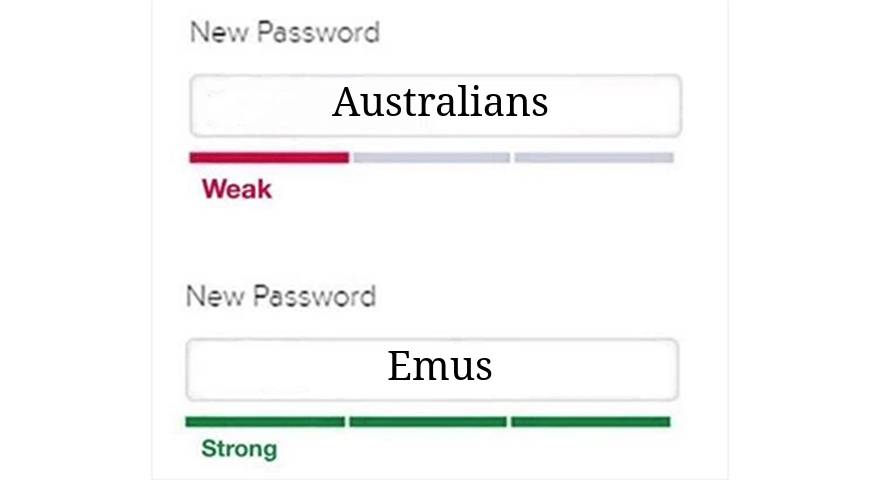 -- ## Protections! * Non verbose error messages! -- Whats the problem here? 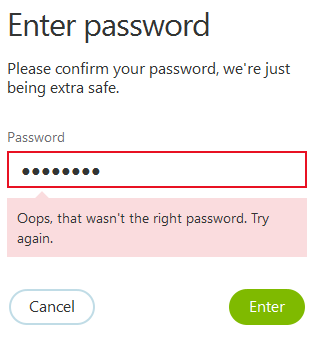 -- * 2FA * Captchas * Account lockouts * strong password policies * We dont like time based resetting though! --- ## Secrets Anyone have an example of a secret? -- All shapes and sizes! * Privileged account credentials * Passwords * Certificates * SSH keys * API keys -> Your gateway to using the entire internet... sounds pretty important. * Encryption keys -- ## How are secrets usually... kept secret? -- ### Locally * Plain text. Yes it sounds worse than it is. * Why is this not... horrible? * Injected into your local dev environment via command line * Usually included in a .env file. -- ## Where does this go wrong?  `git add --all && git commit -m "Adding my .env file because fun" && git push` -- ## How is this fixed? `.gitignore` your `.env` file. Everytime. If you accidentally PUSH secrets... things get hard. Look into squashing commits. Or you just have to delete the whole repository. * Pre-commit/push hooks. -- # In deployments Storing Secrets in places like * Hashicorp Vault * AWS Secrets Manager * Google Secrets Manager Honestly, just find out if what you are using has any SECURE secrets management and use that. --- ## HSTS HTTP Strict Transport Security * Websites sometimes are on HTTP... * HTTP bad because it doesnt encrypt data when sending it * This is vulnerable to MITM attacks! * HSTS basically forces you to use HTTPS. Which is good! Not much else to say... use https. --- ## CSP (Kinda Extended) Content Security Policy Helps mitigate XSS and injection attacks by specifying which locations resources can be loaded from * e.g. .js files, images, .css files (??) * e.g. only load from certain domains, only specific files, only HTTPS sites. -- ### Example > Content-Security-Policy: default-src 'self'; img-src 'self' cdn.example.com;` `default-src` -> restricts what URLs resources can be fetched from the document. Including: * images (img-src), * css files (script-src), * js files (script-src), etc. `self` means the same origin, or same domain and scheme. `img-src` directive overrides the `default-src` directive and provide a policy specific to loading images. --- # Demo > automating requests in python --- # Questions? --- # Thats all!